The fastest setup on any computer. Do this first, then add the patch if you like.
Chrome · Edge · Firefox
Click the star in the address bar, or press Ctrl+D (Windows) or Cmd+D (Mac).
Safari
Press Cmd+D, or click Share, then Add Bookmark.
Tip
Choose your Bookmarks Bar as the folder so it stays visible every time you open your browser.
02 / Phone
Put the patch on your home screen
It sits next to your other apps and opens Simple Purchase in one tap. Pick your phone below.
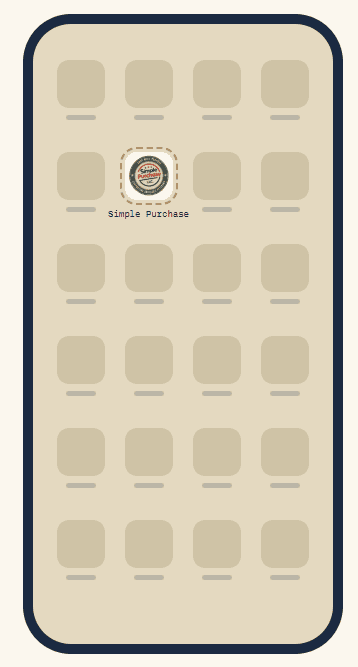
Look for this on your home screen
iPhone · iPad (Safari)
Android (Chrome)
iPhone · iPad (Safari)
Open simplepurchasellc.com in Safari Arrived from an email or social app? Tap the browser icon first so it opens in Safari.
Tap Share The square with an arrow pointing up.
Tap Add to Home Screen Scroll down to find it. Don’t see it? Tap View More.
Tap Add Leave the name as “Simple Purchase.”
Android (Chrome)
Open simplepurchasellc.com in Chrome Use Chrome itself, not a browser inside another app.
Tap the three-dot menu Top-right corner of the screen.
Tap Add to Home screen If Chrome offers Install or Create shortcut, either one works.
Confirm the name, tap Add Drag the patch to your first page or your dock.
03 / Computer
Put the patch on your computer
A shortcut that opens Simple Purchase from your taskbar or Dock, no browser hunting.
Windows · Chrome or Edge
Open the browser menu, then Save and share (Chrome) or More tools (Edge), then Create shortcut. Check Open as window if you’d like it to open on its own. Right-click the shortcut and choose Pin to taskbar or Pin to Start.
Mac · Safari
Open simplepurchasellc.com, then choose File, then Add to Dock.
Mac · Chrome
Open the menu, then Save and share, then Create shortcut. Drag it to your Dock.
04 / Every time
Start here, then shop
Three moves, about two seconds. Make it the habit before you open Amazon.
STEP 1
Tap or click the patch
Open it first. Don’t go straight to Amazon.
STEP 2
Go through to Amazon
Use the Shop menu or the Start Shopping button.
STEP 3
Shop as usual
Add to cart and check out on Amazon.
Simple Purchase is credited when you reach Amazon through one of our links. If you open Amazon directly, your purchase isn’t connected to us. Read our Affiliate Transparency page.
Make sure you’re in Safari, not a browser inside an email or social app. Open the page in Safari and try again. Menu wording shifts slightly between iOS versions, so check View More too.
Chrome on Android says Install, not Add.
Either one works. Both put the patch on your home screen.
I lost my bookmark or shortcut.
Come back to this page and repeat the steps for your device. It takes under a minute.
Affiliate Disclosure: Simple Purchase LLC is a participant in the Amazon Associates Program, an affiliate advertising program designed to provide a means for sites to earn commission by advertising and linking to Amazon.